
Every post looks designer-made
Drop in a photo or a single line and Swaylia lays out a post that looks designer-made. New subscribers try Pro free for 3 days.

Free download · iPhone and iPad · iOS 17 or later
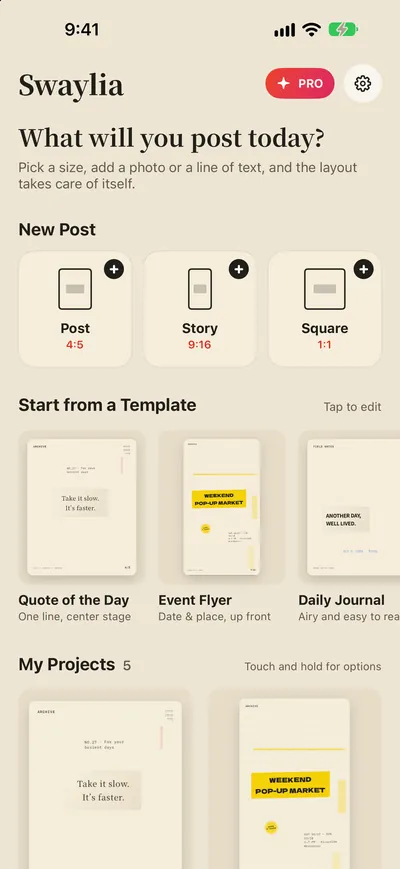
Your Main element gets the most space, and everything else arranges itself around it.
- Post4:5
- Story9:16
- Square1:1
Drop it in.
The layout’s done.
A photo, a line of text, or a quote can be your Main element—Pro adds video and audio. Swaylia saves it the best spot, then handles type size, white space, and finishing touches.
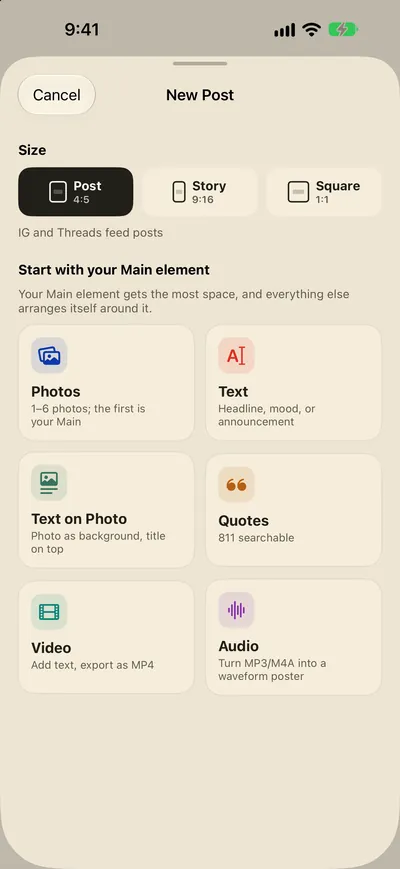
One tap to shuffle.
A million layouts.
Get 3 style families free. Pro unlocks all 12 families and 67 design DNAs. Every layout is checked for readability and keeps your Main element clear—don’t like it? Shuffle again.
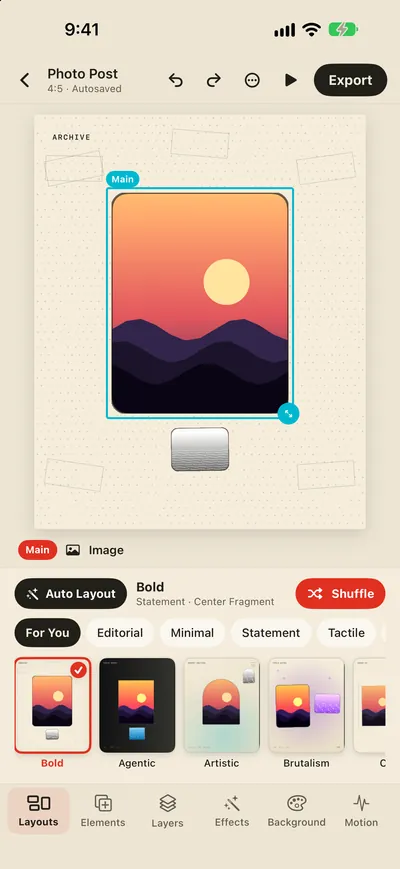
Save to Photos.
Share right away.
Export IG posts, Stories, and squares—Pro can also make GIFs or MP4s. Everything is processed only on your device.
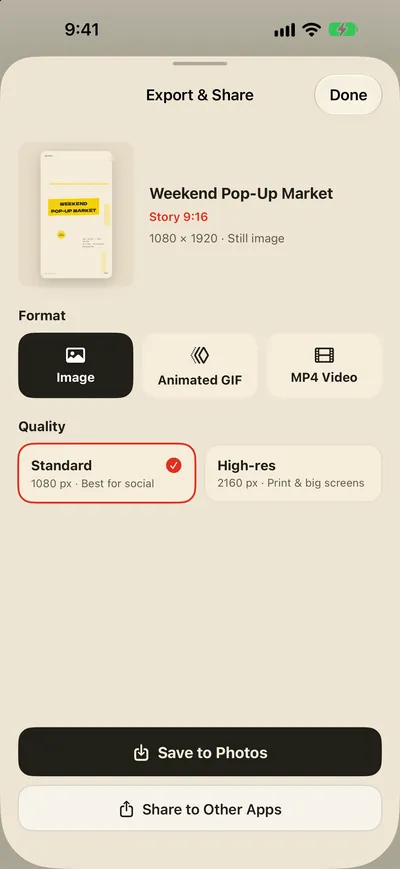
Auto-layout posts & stories
Swaylia turns your photos and words into beautiful posts — automatically. Pick a size, drop in a photo, a line of text or a quote, and Swaylia arranges the type, spacing and decoration around your main element. Not quite right? Swipe through more layouts or tap Shuffle.
-
Auto layout
your main element always reads first; supporting elements move out of its way and never overlap
-
A million combinations
12 style families and 67 design DNAs, every layout checked for legibility
-
Three social sizes
4:5 post for Instagram and Threads, 9:16 story, 1:1 square
-
Fine-tune anything
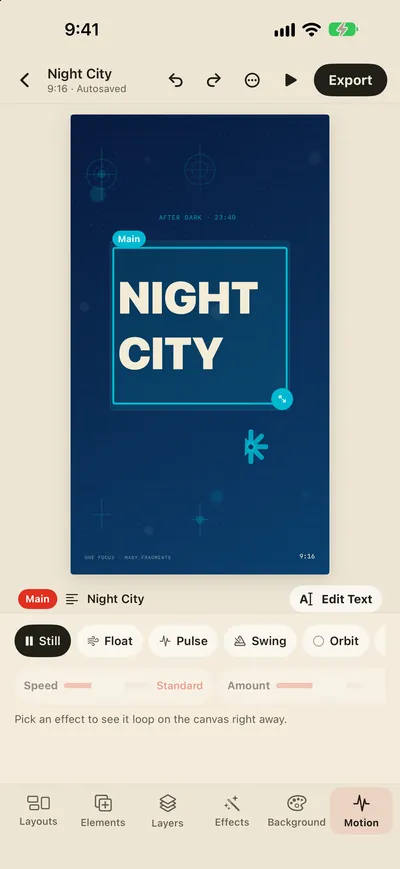
drag, resize, rotate, snap to guides, filters, fonts, shadows and motion
- 811 searchable quotes — mostly Chinese, plus English and Japanese — that become your headline in one tap
- Projects save automatically on your device — come back to edit, duplicate or rename
- Available in 40+ languages, including English, 繁體中文, 简体中文, 日本語, 한국어, Español, Français, Deutsch, العربية and हिन्दी
Swaylia Pro
Pro exports clean posts and unlocks every style and motion effect
All 12 style families and 67 design DNAs
Future Glow, Retro Pixel, Craft Print, and more styles plus Pro templates—shuffle in one tap
Motion effects and GIF/MP4 export
Float, Pulse, Swing, and more—turn posts into moving Stories
4 flowing backgrounds
Backgrounds like Aurora Bands and Floating Lights drift gently in GIF and MP4
Video as Main, plus soundtracks
Make video or audio your Main element, with text and layout added automatically
2160 px high-res export
Crisp and sharp, even in print and on big screens
No watermark
Export clean posts with only your name on them
Compare Free & Pro
The free plan includes unlimited projects, 3 style families and 4 static backgrounds, and exports 1080 px images with a small watermark. Motion effects and flowing backgrounds marked PRO can be previewed in the editor.
| Feature | Free | PRO |
|---|---|---|
| Projects | Unlimited | Unlimited |
| Photos, text, quotes, and stickers | ✓ | ✓ |
| Auto Layout styles | 3 families · 17 styles | 12 families · 67 styles |
| Template posts | 7 | All 11 |
| Background | 4 static | +4 flowing |
| Motion effects | Preview only | GIF/MP4 |
| Video & soundtrack | — | ✓ |
| Image resolution | 1080 px | 2160 px |
| Watermark | Small, bottom right | None |
Subscription: Swaylia Pro is an auto-renewable subscription billed every 6 months (NT$90 in Taiwan; the App Store shows the price for your region). New subscribers get a 3-day free trial. Payment is charged to your Apple Account at confirmation of purchase (or when the trial ends). The subscription renews automatically unless auto-renew is turned off at least 24 hours before the end of the current period. Manage or cancel anytime in Settings › Apple Account › Subscriptions.
Your work stays on your device
Swaylia has no account system and uses no advertising or tracking SDKs. Your projects, photos, videos, and audio are processed and stored only on your device and are never uploaded to our servers.
Privacy Policy
What will you post today?
Free download · iPhone and iPad · iOS 17 or later